Wednesday, 8 December 2021

How To Fix Snapchat Crashing Issue On Your Iphone


While there are many social networking services out there, Snapchat is still a much popular and commonly used platform as it covers multiple great features that are easy to use. It enables the users to stay closely connected with their loved ones and friends. Snapchat can be easily used on multiple devices, including Android smartphones and tablets, Windows and Mac computers, and iOS devices. The platform allows you to send and receive text messages, and you can even make video and audio calls to any other user. Not only this, but one can also send and receive images and videos. A majority of people use Snapchat to take pictures and videos. While most of the time, the app works just fine, but sometimes you might face some issues. For instance, there are some iPhone users who are experiencing issues while using the app on their devices.

According to some iOS device users, Snapchat keeps crashing on their devices. If you are also a user of an iPhone and are experiencing the same problem, you have come to the right place. We understand this issue can be frustrating for anyone, which is why we have come up with this article. Through the following post, you will get to see the tricks that you can try to fix the Snapchat crashing issue on your iPhone. So, all you will have to do here is go through this entire post.

Fixing Snapchat that keeps crashing on iPhone


There can be multiple reasons explaining why you are experiencing the issue while using Snapchat on your iOS device. It might be due to the problem with the internet network. Or the issue might also occur because of the outdated iOS version on your device. In some cases, updating the app resolves the issue within no time. Keeping in mind all the possible causes, here we have mentioned two simple tricks that you can easily follow to get rid of the problem. So, without any further discussion, let’s see how you can troubleshoot the issue with the Snapchat app that keeps crashing on your iPhone.

Method 1: Troubleshoot the issue by force-quitting Snapchat and re-opening it
Force-quitting the app and then reopening it removes the corrupted data and fixes the issue immediately. Here’s how you can force quit the Snapchat app and reopen it to resolve the issue on your iPhone:

Firstly, you will have to press the Home button twice on your iOS device. If you have an iPhone 11, 12, or 13, you need to swipe up from the bottom of the screen and pause in the middle.

You will now see the App Preview screen appearing, and you will have to locate the Snapchat preview screen and then tap and swipe up to clear it.

In the same way, close all the apps. And then re-open the Snapchat app and see if this fixes the issue or not.

Method 2: Update the Snapchat app to fix the issue on your iPhone
Updating the app also sometimes fixes the problem. Here’s how you can update the Snapchat app on your iOS device:

You will first open the App Store on your iPhone and make sure you are logged in to your Apple account.

Now, tap the profile icon appearing on the upper right side.

Scroll through your screen to locate the Snapchat icon. And when you see it, tap on it.

And Next, you will tap on the “Update” button, after which you will have to wait until the update process gets completed.

After the app gets updated, open it and check if it starts working again.
If the problem still persists, you can uninstall the app and then reinstall it on your device.

So, this is how anyone can fix the Snapchat keeps crashing issue on their iOS device.

Here’s How Anyone Can Save Videos From Twitter On Windows Pc


Today’s generation is all about sharing photos, videos, and GIFs online. We all spend a major part of our day scrolling through social media sites on smartphones and computers. There are a lot of social media platforms that we can use on any of our devices, and Twitter is undoubtedly the most commonly used and popular social media site. Millions of people all over the world prefer to use Twitter as it includes a lot of great features and options that anyone can easily access. The majority of people use this platform to share pictures and videos with their followers. You can find a lot of great videos on Twitter. And many times, we see any image or post on our social media timeline, and we like it so much that we wish to save it on our device. And downloading videos from Twitter is also super easy for anyone.

Are you also a user of Twitter and want to save any videos from it on your device? Don’t know how to do so? If this is the exact case, you have come to the right place. In the following post, you will get to see the method that you can easily follow to download any videos from Twitter on your device. So, if you want to know the technique, you must read this whole post.

Saving videos from Twitter on Windows


Anyone can save any videos from Twitter on any of their devices with much ease. There are multiple ways to save any videos from Twitter. Here, we have mentioned the most straightforward method that you can easily follow. So, let’s discover what steps you will need to follow to save any Twitter videos on your device:

Instructions for saving Twitter Videos on a Windows PC


Here are the instructions for saving Twitter videos on a Windows computer:

❖ You will first launch a web browser of your choice and then jump to twitter.com.

❖ After logging into your Twitter account, you will have to find the tweet with the video you wish to save.

❖ You will then right-click on the date of the tweet, after which a menu will appear on your screen. Here, you will need to choose the “Copy Link Address” option.

❖ Now, the web address of the tweet will get saved to your computer’s clipboard.

❖ Next, jump to DownloadTwitterVideo.com. After reaching the main screen, paste the web address of the video in the search bar at the top.

❖ After pasting the address, hit the enter key, after which you will see two buttons appearing with options for your video download.

❖ You can choose to download the video in the low-resolution version, or you can select the MP4 HD version for high resolution.

❖ At last, right-click on the new button that shows up on your screen. The option will be labeled as “Right-click here and choose 'Save link as.” And that’s it. The video will now get downloaded on your Windows PC.

4g Lte Cell Phone Signal Booster Helps To Eliminate Coverage Related Issues!


The use of the cell phone has become very common these days. These devices have really managed to influence our life in a great way. There is a wide range of benefits that the use of cell phone brings for us. Without such a device, our daily life can really struggle. We use to do a wide range of works with the help of the cell phone apart from making and taking calls. In the past, mobile phones were only used to stay connected with others. But due to the advancements in the mobile technology, these devices have also become more advanced.

Now they have started to come with different handy features and we are using them to make life simple than ever before. These features are helping us to accomplish a wide range of tasks even on the go. But these features are of no use when you have poor signal problem. Once the coverage problem is there, you can really struggle with receiving poor signals on your cell phone and you will not be able to make the best use of this device. This is where using the 4G signal booster South Africa can bring a great help for you.

Mobile signal booster has also got a wide range of other names such as mobile phone repeater, signal amplifier, signal extender, cell booster, etc. if you are dealing with dropped calls, poor signals and network coverage related issues, then the use of the 4g LTE cell phone signal booster can bring an end to all these issues in an effortless manner. But before that you also need to know how the mobile signal booster works. The prime work of such a device is to pull the signal outside and boost it so that strong signals can be rebroadcasted to the desired locations. In the rural areas, poor signal is a common problem. Due to this reason, the use of the mobile signal booster has also become at these areas. But now even at the urban areas, mobile phone users have started to face the same issues.

Despite all the efforts done by the mobile network service providers, consumers are still dealing with poor signals and coverage related issues. So the time has come to use the 4G signal booster South Africa and bring end to all these woes. These mobile signal boosters can be installed for your car, home, business and for the commercial premise. At the urban areas, when you are inside a building, you might not be able to receive good signals on your mobile phone. The reason is these buildings are not designed while keeping the radio frequency like thing in mind. The material used to make these buildings is the prime reason why the radio frequency signals don’t reach for your mobile phone easily and properly. These materials can block such signals and you suffer from poor signals on the cell phone.

Due to this reason, you face call drops, poor voice clarity, no network, no coverage, and slow internet like issues. There is a wide range of issues that the cell phone users can face when the signal quality remains very poor. To strengthen the signal now the 4g LTE cell phone signal booster can be used. It will help to eliminate the coverage related issues and can help you enjoy faster internet as well as enhanced voice clarity. When you have such great benefits to receive, you will surely not like to ignore installing the 4G signal booster South Africa. This is always easy to maintain and install. You can install it for your car, home or office easily.

A Complete Guide To Resolve Netflix Black Screen On Windows 10


Netflix is one of the most popular streaming services all over the world. It offers you award-winning movies, TV shows, documents, anime, and much more. You can see as much as you want. But many users report that when they are trying to launch Netflix, the black screen suddenly appears on their screen. So, if you would like to fix this issue, then here are a few guidelines displayed below.

Run the Browser as Administrator to Resolve Black Screen Issue on Netflix

If you are trying to run the browser as an administrator, but you don’t have an idea about it, then carry out the steps in the same way as explained below:

1. First, shut down all the running browser screens on your system.
2. Thereafter, click on the Windows key.
3. You should choose the 'All Apps' option.
4. Go to the items list and right-click on the desired browser symbol.
5. Then click on the 'Run as administrator' option.
6. Later, choose the 'Allow' or hit on the Yes button whether prompted to.
7. Now, reach the new screen, attempt to play the desired flick, or display once again.

Remove Netflix Cookies from the Web Browser to Resolve Black Screen Issue on Netflix

If you are trying to remove Netflix cookies from the browser, but you don’t have an idea about it, then carry out the steps in the same way as explained below:

1. Navigate to the 'www.netflix.com/clearcookies' link on your desired browser.
2. After that, you will be logged out of the Netflix account.
3. You should hit on the Sign-In button.
4. Then input the password and email of Netflix.
5. Now, try to run Netflix once again.

Reboot the Browser to Resolve Black Screen Issue on Netflix

If you are trying to reboot the browser, but you don’t have an idea about it, then carry out the steps in the same way as explained below:

1. Firstly, shut each running browser screen on your device.
2. Then invoke the Task Manager.
3. Don't forget to check the browser if it still launches.
4. You should invoke the web browser.
5. Finally, attempt to run Netflix once again.

Remove Chrome Browsing Data to Resolve Black Screen Issue on Netflix

If you are trying to remove Chrome browsing data, but you don’t have an idea about it, then carry out the steps in the same way as explained below:

1. First, launch Chrome on your system.
2. Then click on the vertical ellipsis menu icon at the upper right side of the screen.
3. You should click on the Settings option.
4. Go to the Advanced button and click on it on the lower side of the window.
5. Navigate to the Privacy option and click on it.
6. You should choose the 'Clear Browsing Data' option.
7. Thereafter, reach the 'Clear the following items' option through the pull-down box.
8. You have to choose the 'Beginning of time' option.
9. Later, tick the 'media licenses box.
10. Now, run Netflix once again.

Check Application Permissions to Resolve Black Screen Issue on Netflix

If you are trying to check app permissions, but you don’t have an idea about it, then carry out the steps in the same way as explained below:

1. Hold the Win and I hotkeys simultaneously over the keyboard to invoke the Settings application.
2. You should pick the 'Apps' option.
3. Then choose the Netflix application, then launch the 'Advanced options' button.
4. You have to choose the Reset button and then look at the permissions.
5. Now, launch Netflix and attempt to load the content you want.

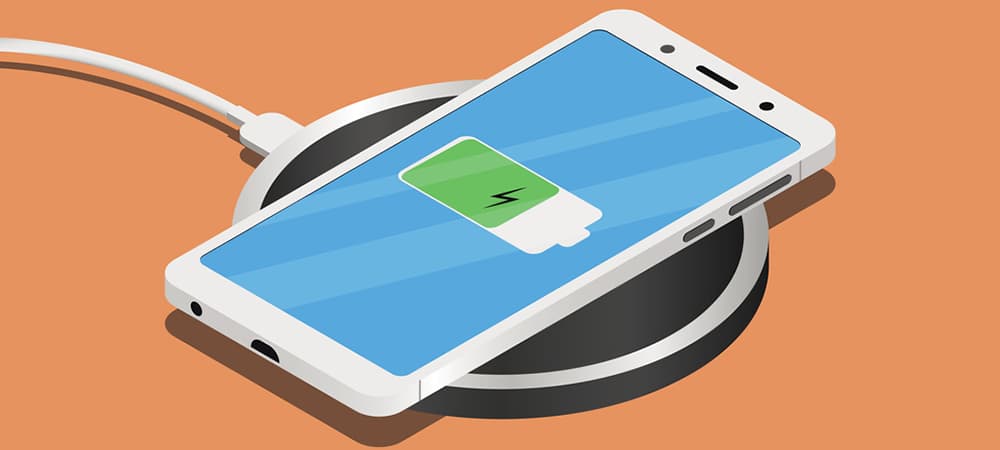
What Is Wireless Charging And Is It Safe?


Nowadays, most flagship smartphones are coming with wireless charging features. But the Apple brand used this technology in their smartphones, and now it is pretty common these days.

Let’s know more about wireless charging.

What is wireless charging?

As its name suggests, you needn’t use a wire or cable to charge your phone with a wireless charging feature. You only need to place your device on charging pads that have different designs and shapes. Here alternating current (AC) is passed through a copper, generating an electromagnetic field in the immediate vicinity.

Note here that your phone should support wireless charging before you place your phone anywhere on the charging pad. The wireless charging feature is based on electromagnetic induction, where the electromagnetic waves generate current surrounding your charging pad, and your phone receives that induced current.

Further, it is worth noting that wireless charging devices primarily use plastic or glass back as metal interferes with the magnetic field.

Is wireless charging safe?

Wireless charging is a safe way to transfer ...... power to your phone as you put your phone in the charging pad. However, in a scientific investigation, it is found that wireless charging can damage a battery’s life if you charge it irregularly. For example, you should keep 50% charging as if you charge from 5% to 100%; it gradually damages the battery lifespan.

Which wireless charging standard is better among other competing standards?

There are multiple competing wireless charging standards in the market. However, the Qi standard, developed by Wireless Power Consortium, is dominating the market today. All major brand devices support Qi-standard except for a few.

Why is the Qi standard the first choice of the users?

Qi standard is the first choice as it has user-friendly wireless charging guidelines. It considers the aspect of wireless charging such as charging process, charging area, temperature limits, and object detection (the most important as chargers generate an EM field when detecting a Qi-compatible device. Moreover, the Qi standard offers different power levels, and the users can choose up to a maximum of 15W.

Is wireless phone charging better than wired charging?

It depends on the charging aspects, for example, if you say which is more convenient? Then there is no real debate as wireless charging requires no effort from your side. However, it becomes a topic of discussion when you come to other parameters such as speed, efficiency, safety, and heat.

As mentioned above, wireless charging can go anywhere around 15W, but the charging speed is increasing today like you. You can find that up to 33W charging is normal if you talk of wired charging, and even some brands have been promising for an incredible 160W fast charging. Wireless charging produces heat, and that adversely affects the battery life.

6 Features To Look For When Choosing An Image Hosting Service


If you're looking for a good free image hosting website, we suggest that you make the choice based on a number of factors. In this article, we have considered some primary factors that you must consider when looking for the best platform to meet your image-hosting needs. Read on to find out more.

1. Speed

First of all, if you host your images on a third-party platform, you will be able to make sure that your images will be accessed at a high speed across the world. If your images don't load faster due to heavy load on the servers your website is hosted on, you may miss out on a lot of traffic.

Therefore, we suggest that you consider the speed of the image hosting websites before making this choice. This is essential when the size of your images is small. As a matter of fact, small images should not take more than a couple of seconds to load.

2. Hosting Alternates

Since the visitors of your website come from across the world, you have to make sure that all of them can access your files without any trouble. With a hosting alternate, you can make sure that none of your files have been deleted.

3. Reliability

If you don't use a third-party image hosting website, you may have to face a lot of issues from time to time. If your web server experiences problems due to the software or hardware, your visitors will have a lot of trouble.

On the other hand, if you go for an alternative, you will have peace of mind that your photos are hosted on a reliable server that will be always online. This will increase your viewership and reputation on the internet. Your images are hosted across a number of servers in the world. So, there is no question of losing your important data.

4. Scalability

These days, most businesses face two primary issues as their business grows with the passage of time. As your business expands, you will get a lot of traffic on your website. Therefore, you have to spend a lot more money to purchase expensive hardware to cover your business needs.

This may not be feasible for you, especially if you don't have a big budget to spend. So, we suggest that you don't purchase your own hardware and hire the services of an image hosting service provider. They charge a couple of dollars per month and host all of your images. Some of the services are free of charge.

5. Security

Image hosting websites are known for taking care of highly sensitive and confidential data. Therefore, you can enjoy top-notch security against online threats. It is essential to keep in mind that these security measures are essential for any image hosting website.

So, you may want to consider the security aspect when making the choice for the first time. Ignoring this aspect is not a good idea.

6. User experience

An online image-hosting website can help your website minimize the bandwidth and provide a great user experience. So, your website can enjoy a higher rank and reputation, which is important if you want to stay ahead of the competition. After all, you cannot enjoy success if you don't depend on your image hosting website.

Long story short, we suggest that you look for these primary features when choosing an image hosting website to cover your personal or business needs.

SubirImagenes allows you to upload and share your personal and business images on the internet through Free image hosting. So, you can try out this platform to meet your image hosting needs.


Article Source: https://EzineArticles.com/expert/Abdul_Waheed_Zafar/1306631

Image Hosting Vs Image Sharing: Things You Need to Know


Nowadays, image hosting websites are quite popular among individuals and business owners. In other words, both personal and professional users check out these websites on a daily basis for sharing their personal or business photos with their friends and clients. Before you choose a platform, we suggest that you consider some of the essential features first. If you are new to this world, you may be wondering if there is a difference between image sharing and image hosting. Given below are some of the points that can help you understand the difference between the two terms. Read on to find out more.

Image Hosting

On an image hosting website, when you upload your desired images, you will have an embedded link that you can put on different platforms, such as online marketplaces, blogs, websites, and forums. All you need to do is make a few clicks using your mouse and copy and paste the links. So, it can save you plenty of time and effort no matter how many times you have to repeat the process.

Another great benefit of these platforms is that your desired photos can be shared across a wide network. You don't need to put all of the load on your own servers. So, it can reduce the load on your in-house servers significantly.

If you host your images on these servers, you will have peace of mind that your images will be safe and secure. Even if your blog or website goes down for some reason, you can still get your photos back in a few minutes. So, there will be no loss of data if you are going to use these platforms.

Sharing Images

Unlike image hosting, sharing images is a different process. In this process, you can share your photos and precious memories with your friends and family members through different social media platforms. If your photos get deleted on this platform, you will have a headache. On the other hand, image hosting websites don't lose data no matter what.

With the sharing feature, you can share your photos with a few clicks. You don't need to switch back and forth on different social media websites. As a matter of fact, you can check out the very first images you uploaded and shared on your profiles.

If any of these websites go down for some reason, you have the ability to get them back once again. As far as original images are concerned, there will be no problem with quality. And they won't even be compressed unlike Facebook or other platforms out there.

The takeaway

So, you can see that there is a huge difference between sharing images and hosting images. If you are a professional user, you have no choice but use and image hosting platforms. After all, you don't want to lose your valuable business photos and other staff. So, we suggest that you look for a good website that allows you to host your images. If you have tons of images to host, we suggest that you consider a paid plan.

For free image hosting, you should use a good image hosting platform. We recommend that you go to SubirImagenes to get the best experience.


Article Source: https://EzineArticles.com/expert/Abdul_Waheed_Zafar/1306631