Wednesday, 29 August 2018

Know the Key Metrics to Look for in Search Analytics


http://technorect.blogspot.com/2018/08/know-key-metrics-to-look-for-in-search.html

Search analytics is key for enterprises today in order to gain important and relevant insights to act on. Even the modern enterprise search platforms help you get the information you need by analyzing the data. This article talks about the key parameters to focus on while studying analytics data.

You have an enterprise search tool that is designed with all the advanced text mining features out there and it helps you dig out information that you never knew existed within the heaps of unstructured data. It’s a great investment indeed, because enterprises today need such a tool to manage the ever explosive data that is collected from different sources, including social media websites and emails. However, how do you figure out if the tool that you have invested in, is indeed helping you moving towards your businesses objectives? The answer is search analytics.

Search analytics helps you analyze the performance of your search platform, through a series of parameters, referred to as metrics. A few examples are number of results for each query, top search terms, and conversion rate. I have been studying enterprise search tools for quite some time now, and I have observed that most of the modern platforms, including SearchBlox, 3RDi Search and Constellio, have in-built search analytics functionality that provides you values for the many metrics in real time, which you can use to formulate important business decisions. Here’s a list of the key metrics to look for.

1] Top Search Terms

This provides you a list of the terms or keywords that are searched for the most by your users. This gives you an idea about the most popular concepts and the information that is currently trending.

2] Most Clicked Results

Whenever a user types in a query, he gets pages of results. However, not all results get equal attention from the users and some of them fetch higher clicks than the others. This metric helps you figure out which results are the most relevant to your target users.

3] Number of Results for a Keyword

How many results does a keyword fetch? Sometimes, the lack of uniformity in the number of results per page can drastically affect the user experience. Thus, the information provided by this metric can be used to ensure that there are no keywords that fetch little or no results.

4] Conversion Rate

How many of the visitors on your website are getting converted to actual customers? Studying the value of the conversion rate metric will help you get the idea and take steps accordingly.

There are many other search analytics metrics that can help enterprises get the insight they need to take important and effective business decisions to generate revenue and fuel business growth. In today’s highly competitive market Business Management Articles, your enterprise needs analytics data in order to stay relevant in the market and gain the competitive edge.


ABOUT THE AUTHOR

Elise Lowry is a technical writer and a web entrepreneur with many years of experience. She regularly blogs about rising IT companies, path breaking IT solutions, current IT trends and much more. Understanding how technology affects the world we live in, is her subject of interest.

Saturday, 4 August 2018

Know the Difference of HRIS vs HRMS


When talking about software for the Human Resource department, HRMS and HRIS are the two most common terms. This article explores the difference between the two in order to make it easy for you to decide what you really want.

The rapid advancement in technology has had its influence on every aspect of business. In order to stay competitive, organizations from every field, and not just the IT field, have switched to automation of business processes. There is a software available to cater to the operations of every department today. When it comes to the Human Resource department, we come across two key terms very often – HRMS and HRIS. Many people are left wondering about the difference between the two and what adds to the confusion is the fact that they are often used interchangeably.

HRMS stands for Human Resource Management System whereas HRIS stands for Human Resource Information System. While both of them are similar software, there are a few points where they differ. Here’s an overview of the similarities and differences.

What’s the Similarity?

    Both HRMS AND HRIS are software designed to cater to the Human Resource department in an organization.
    They are used to automate and manage the HR processes.
    They have common benefits to bring to the organization, such as increased productivity of the HR department and boost in employee morale, among others.

What are the Differences?

Even though it’s a common occurrence to see the terms being used interchangeably, there are small differences between the two, based on 4 key parameters, as given below.

1] Objective:

HRIS:

It is a result of the introduction of information technology into the concept of HR management. The goal of the software is to simplify the organization of the information or data concerning the employees of an organization. It caters more to the numerical aspect of HR functions.

HRMS:

It is designed to do more than just manage information and data. HRMS is a complete package that offers a host of capabilities for every aspect of HR functionalities, which includes even the non-quantifiable aspects, such as training, employee motivation, recruitment of top talent and more.

2] Components:

HRIS:

At its core, Human Resource Information System consists of a database and it facilitates tracking of the information in the database and its analysis through report generation.

HRMS:

The Human Resource Management System comes with the complete set of functionalities for the management of every HR aspect that exists. It performs the important function of integrating information from different modules into a central database that is universally accessible.

3] Key Capabilities:

HRIS:

    Time and Attendance
    Payroll
    Incentives and Compensation
    Tracking information and maintaining records

HRMS:

Along with the functions performed by the HRIS as mentioned above, the HRMS performs the following additional functions:

    Performance Analysis
    Training
    Recruitment
    Benefits Administration
    Insights for strategic decision making

4] Scope

HRIS:

It is recommended for small organizations with very basic HR functions to cater to.

HRMS:

It is more comprehensive than HRIS and is thus recommended for larger organizations with more employees and a wider range of HR functions to cater to.

The Final Word:

So, we can safely conclude that while Human Resource Information System focuses only on the quantifiable aspects of HR operations – the ones that involve numbers and data, Human Resource Management System is a more complete package. In other words, HRIS is a sub-set of HRMS.

The best providers of HRMS software today, such as GreytHR, Beehive, Digital HRMS and Zoho People, offer organizations the option to choose from a set of modules, to create a HR software that is in alignment with their business needs. Also, today we have vendors that provide HR software that are cloud-based with features that redefine the way we look at HR functions. What you choose depends on your organization’s needs. However, the bottom line is that your organization needs a HR Software to stay ahead of the game, so you must choose one. Whether you choose a HRMS or HRISFree Articles, makes little difference.


AUTHOR: Elise Lowry is a technical writer and a web entrepreneur with many years of experience. She regularly blogs about rising IT companies, path breaking IT solutions, current IT trends and much more. Understanding how technology affects the world we live in, is her subject of interest.
Saturday, 27 August 2016

Know About Servers and Their Types

http://technorect.blogspot.com/2016/08/know-about-servers-and-their-types.html


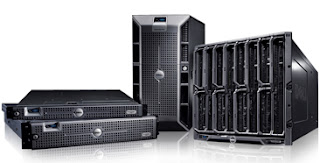
In computer parlance, a 'server' is a device that supports and provides functionality for other devices and programs, typically called 'clients'. This is what is referred to as the 'client-server model' in network computing where a single overall computation distributes data, functions and processes across multiple devices and computer processors. Among the many services that servers provide are sharing of resources and data between clients and performing multiple computing tasks. A single client can use multiple retainers and conversely a single retainer can also serve multiple clients.

Client-Servers today function on the 'request-response' model where a client needs a task done and sends a request to the retainer which is accomplished by the server. A computer designated as 'server-class hardware' means that is a specialized device for running server functions. Though the implication leads to visions of large, powerful and reliable computer devices, in reality, a retainer may be a cluster of relatively simple components.

Servers play a very significant role in networking; any retainer that takes a hit in functioning can bring to a halt the connectivity of all the computers in a network. The significant rise of Internet usage around the world has boosted the development of servers for specific functions. This is an element that is constantly undergoing changes and we will have to wait and see how servers will be developed for future computational needs.

Servers are categorized according to their tasks and applications. Dedicated retainers perform no other networking tasks other than retainer tasks assigned to them. A server platform is the underlying system hardware or software that drivers the server; it is much like an operating system in a desktop, laptop or other devices.

Types of servers

Application Server - these occupy a large share of the retainer networking between database servers and end user.

List Server - improves management of mailing lists, newsletters, advertising material and announcements.

Chat servers - enables sharing of information in an internet group environment including real-time discussion capabilities.

Fax Servers - used to reduce incoming and outgoing telephone resources.

Groupware Servers - helps users work together irrespective of location through corporate Intranet or the Internet in a virtual environment.

Mail Servers - as important as a web server to exchange correspondence in a corporate network through LANs and WANs.

News Servers - these function as sources of distribution and delivery for public news groups on the global bulletin board system.

Proxy Servers - they work in between a web browser (a client program) and a second web server to share connections and improve performance.


Please check website to know more about the largest private server.

3 Ways That Can Help You to Remove Malware

http://technorect.blogspot.com/2016/08/3-ways-that-can-help-you-to-remove.html


Malware, spyware and viruses have one particular thing in common. They very easily slow down your computer, steal important information and corrupt vital files. There are many other unsuitable and inappropriate things that they are capable of doing. It is a well- known fact that not all the malwares are created in an equal manner and there are some items that are harder to remove when compared to the others. There are three ways that you can use to get rid of malware. These have been explained as follows.

1. Scanning

There are thousands and millions of different programs that are out there in the virus/spyware removal category. Also most of these programs are free which a good thing is. Different programs will give you different results and thus it depends on what exactly you wish to get from these programs. Hence the best thing that you can do when your computer is infected with multiple viruses is to run multiple programs. In order to get around this thing, you can either scan the system or you can enter the safe mode on your Windows system.

2. Rescue disks

In addition to entering the safe mode, you can also scan your computer before your Windows has a chance of getting booted up. This can be done by utilizing an offline virus scanner and sometimes a pre- boot scanner. The way that this works is that you will have to use another computer to properly download a file for ISO image from any anti- virus company.

3. Clean install

A clean install is not meant to be the most fun thing to do. However, it is a method that can guarantee you to get rid of all the viruses, malware as well as spyware. It is also pretty straight forward, when you are able to do a clean install. You will be able to delete everything on your hard disk and therefore there will not be any viruses. There will also be times, when a virus will not be able to infect items like text documents, pictures, MP3 files and videos. Here, a good thing to do is to scan all your personal data and even then if there are no viruses to be found, you can copy it to your external drive.

The above explained steps will help you to get rid of malware as soon as possible and also in an effective manner.

To know more about Tee Support or Malware Removal Tips.

Do You Know How Malware Works?


http://technorect.blogspot.com/2016/08/do-you-know-how-malware-works.html

Malware is a software that is made specifically to damage or disable computers and computer systems. Its name is actually derived from the term malicious software and it seeks to gain access to the computer without the owner knowing anything about it. The owner may not know how or when it got into the computer, but they will find out it did when the computer starts acting up, running slowly or there is a big jump in the amount of ads that appear.

Malware comes in many forms. It can take the shape of spyware, keyloggers, worms or viruses, but they all do the same thing to a computer: they mess with the operating system and gain access to your information, which can lead to identity theft.

Malware started off as an experiment or a big joke but now can garner big money for those criminals who impose it on unsuspecting computer users. They can make money by the forced adware that we have to endure, they can steal our bank codes and passwords to gain access to our accounts and they can track our internet browsing history and spread email spam to everyone in our address book. There is malware everywhere, and we usually download it unintentionally with other programs that we really want on our computer. It piggy backs on with the good stuff and embeds itself into our operating system and there it stays inflicting its wrath until we figure out how to get rid of it.

So how do you get rid of malware? The best cure is preventing it from entering your computer in the first place. This means being ultra careful what files you download from the internet and reading all of the user information before hitting the download button. Another great way to prevent malware is by using a good security system and adding a service like Malware bytes to your computer that will scan for these viruses each day which makes removal that more effective. Taking advantages of the updates that pop up from trusted sources is also a great way to defend against malware as they up the security and technology for the system itself.

It all else fails, take your computer to your trusted computer repair shop where they will have the know how to rid your computer of the pesky malware that is making your life and your computer miserable.

Having computer problems? please visit http://www.infotechcomputers.ca

Know The Best Ways To Protect Against Computer Viruses

http://technorect.blogspot.com/2016/08/know-best-ways-to-protect-against.html

 Some Universal Tips To Protect You Against Computer Viruses

  •     Use a standard user account
  •     Use the Highest User Account Control Setting (UAC)
  •     Use an Antivirus with Web Security
  •     Enable automatic update Java
  •     Keep your Windows Up to Date
  •     Use a Windows EMET (Enhance Mitigation Experience Toolkit)

Use a standard user account

Now the first thing is to make sure that your user account that you're using every day is a standard account, not an admin account. The reason most computer viruses these days especially once the drive-by without any user interaction. It really requires you to be an admin to work properly.

So if you're just a standard user and you don't have admin privileges, which isn't that big of a deal. Then it means that the virus is not going to be able to install itself. Or if it is then it means it's not going to be able to easily hide in system files. So if you do have an antivirus program, it'll be a lot easier to remove any virus you get.

So what you basically do is have an admin account that you create separately. And make it to a standard account. If you ever have to do something that requires admin privileges, it'll simply ask you to type in the password. So this is definitely something I recommend doing. And a lot of people might say, "all that's too much of a pain. I don't need it". But it really is beneficial. It because this is going especially protect you against even computer viruses.

User Account Control Setting (UAC)

You should have the highest User Account Control setting. It's a little bit more annoying. But it's definitely useful in stopping computer viruses from doing stuff and installing themselves when you don't know about it. So if you are running a PDF or something. And then all of a sudden you get a pop-up from the user control saying that something's trying to modify a system file. And you can deny that.

Whereas if you don't have it set to do that then it might try to install itself. And you won't even know about it. So that's definitely something you should do a little bit more annoying. But definitely, something you need to do if you want to be secure on your computer.

Antivirus with Web Security

This one might become obvious but antivirus specifically one with Web protection. And the reason for this again is to block you from accessing computer viruses. You didn't know were there. In the first place such as ESET NOD32, that's what I like about it is that when you go to a website that might have a virus on them. If you click on it will block you from going to a completely. And now you don't have to worry about it.

So I definitely think it's good to have an antivirus. Most people say, "Oh... it's common sense". Well, sometimes you can't afford it. You go and do a Google search for something. And you go to a website that's been compromised. You didn't know that. You just click onto throw Google. You want to have some sort of antivirus for those situations. Where you don't know you're even engaging in any risk behavior.

Java Security Settings

This is a really common piece of software. That you're going to see a lot of computers. But a lot of times there's new exploits coming out for invulnerability. So you want to make sure it's really up to date. What I would do is make sure you have daily updated checks enables and also enable "notify me before installing". So it automatically downloads and notifies you before installing not just before downloading.

That way whenever the updates ready you can just click on it and confirm the install. It won't update automatically as far as I know. Now the real reason you want to do daily checks for updates is because of the zero-day exploits.

Keep your Windows Up to Date

I think it's pretty obvious but I really need to include that enables automatic updates for Windows. I think of Windows 10, you have to enable it. But just make sure you enable security updates don't put an offer too long. Because there are important updates to go through there. It will block vulnerabilities exploits that sort of thing. And it's just important overall to keep windows up to date.

Windows EMET (Enhance Mitigation Experience Toolkit)


Finally, I want to talk about a really cool program called Windows EMET (Enhance Mitigation Experience Toolkit). Which is actually developed by Microsoft. Basically, what this does is protect against exploits. Now, what happens is you download the program, It'll run and monitor all the programs you set there is a default list. I think that comes with a lot of ones like Acrobat, Microsoft Word that sort of thing.

You Must Read:


  •     How To Securely Erase Data From Hard Drive
  •     How To Increase Online Security
  •     Hardware Encryption Drives
  •     Way To Log In Google Without Passwords
  •     Free Encryption Software For 2016
  •     Why Should You Get VPN?
  •     5 Tips To Stay Safe On Facebook
  •     Why Should You Encrypt Your Phone?

And then it has all these different exploits and knows about. If that program tries to run a file that has one of these exploits, it will block it. So a lot of times you'll hear people say, "don't open PDFs from unknown emails". Because you don't think of that as a virus but it can have exploits. That are not an actual virus program. But they take advantage of regular legitimate software to install itself as a virus. It's not like an exe or anything. So I definitely recommend this program.

If you have any other suggestions definitely let me know.

Last Words

So I think that's pretty much it. I hope you guys enjoy this and found this useful. If you did, do share it. And I'm looking forward to hearing from you in the comments section.

3 Simple Steps You Can Do Today to Enhance Your Information Security


http://technorect.blogspot.com/2016/08/3-simple-steps-you-can-do-today-to.html

There are 2 types of users. Those who say they have nothing to hide and conceal, and those who use all possible methods of data protection to keep their personal information secure.

This article is for the 1st type of people or for those who are somewhere in between. People of the 2nd type are aware of these techniques and apply them in practice almost every day.

So what should you do today to ensure information security?

  •     Make a backup copy of important data.
  •     Replace simple passwords by stronger ones.
  •     Make a copy of information stored in the cloud.

Why should you make a backup copy of important data?

Let's start with a question whether there is a need to save a copy of your hard disk on other media. The improvement of software goes side by side with the improvement of malware. Ransomware viruses became especially active. Getting on your computer, ransomware virus blocks the access to your data and requires a payment for decoding them. But often even the transfer of the required sum of money does not solve the issue with the encrypted data. In such a case these data may be considered as lost forever.

Unfortunately, such cases are common. You can get a malicious code even via a simple JavaScript in your browser. Thus, if you copy important personal data to removable data carriers at least sometimes, you will have a chance to recover at least a part of the lost information and protect it against fraud.

Why should you change your passwords?

In the fall of 2015 was published a list of the most popular passwords of Ashley Madison website. And at the end of 2015 year, we got an opportunity to see a list of the worst passwords used in 2015. According to these lists, which coincide in the majority of points, people do not like to complicate their lives and choose simple passwords. They keep using such easy combinations as 123456, password, password1, qwerty, etc. Coming up with a new password, try to make it very complicated for it not to be brute forced.

But still, even this is not enough. Unfortunately, online fraudsters are constantly improving their skills, and soon there will be not a single password they would be unable to get. Then how to protect your personal data? In fact, you cannot rely only on passwords, thus the best way to protect your data is to use at least two-factor authentication where it is possible.

2-factor authentication presupposes the use of two different factors of authentication when logging in the account. The first factor is something you know (usually it is login and password), and the second factor is something you have (usually it is one-time password generated with the help of OTP token or application on the smartphone, also it can be delivered via SMS or the voice call).

Thus, even if a fraudster hacks your main password, he won't manage to go through the next authentication step. And vice versa, even having the one-time password generator (token) or your phone, the fraudster will not be able to log in without knowing a static password. Two-factor authentication is especially important for bank accounts or corporate e-mails.

But even using 2FA you shouldn't forget that static passwords play an important role in two-factor authentication as they are one of two factors - a knowledge factor.

Why should you make a copy of the information from the cloud?

How many times we have already seen the faces of users who suddenly couldn't find important documents, which they stored in cloud services. And this may happen to anyone. So next time when you think of leaving the important information in your account in Gmail, Dropbox, or any other service, think twice and make a copy on your hard disk.

Read how to choose and use strong passwords in Protectimus blog: http://bit.ly/2bsRpTY